Version 15
From Configuration to Collaboration: Version 15 and What Comes Next
AI is changing how quickly ideas become real. Content, designs, and code can now be generated in moments—but sophisticated media products still require context, quality control, and human judgment. At Applicaster, we’re building toward a new relationship between customers and software: one where teams can express what they want, use AI to move faster, and remain firmly in control of what reaches their audiences.
Version 15 lays the foundation for that future.
Draft Mode: The Human Review Layer for an AI-Powered Workflow
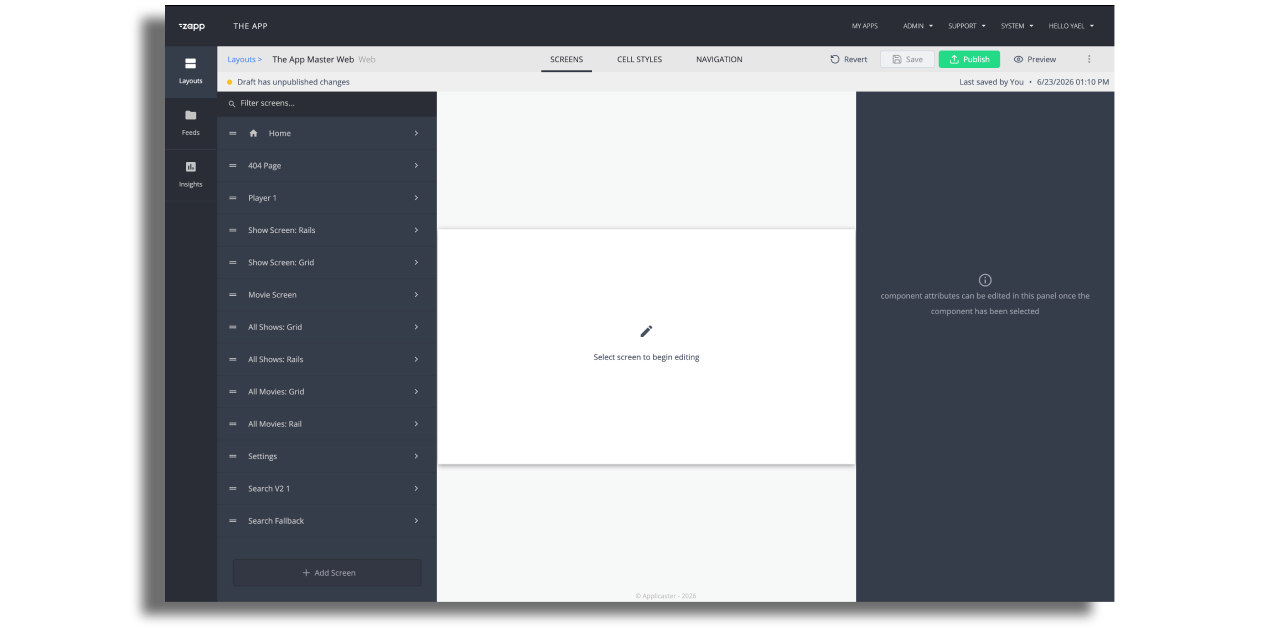
At the center of Version 15 is Draft Mode—a new environment for creating, reviewing, and validating layout changes before they reach users.
Teams can now:
- Save layout changes without publishing them.
- Preview drafts on real devices across mobile, TV, and web.
- View version history to track how a layout has evolved.
- Restore an earlier version when needed.
- Review and refine experiences before releasing them to audiences.
Draft Mode solves an immediate need, but its importance goes further. As AI and automation make creation faster, teams need a safe space between an idea and a live product. Draft Mode creates that space. It introduces a human review layer where teams can experiment freely, preserve quality, revisit previous decisions, and decide when a change is ready. Today, it supports layout drafts, version management, and device previews. Looking ahead, it establishes the foundation for a more intelligent workflow—one where intent can be translated into proposed experiences, reviewed across form factors, and refined before publication. The customer defines the goal. Technology accelerates the work. Human judgment remains in control.
Bringing Applicaster Expertise into the AI Workflow
AI can generate an interface or write code quickly. But building a dependable media experience requires much more. Authentication must work. Payments and entitlements must remain secure. Advertising, analytics, content feeds, platform behavior, and release requirements must all be understood. The challenge is not simply generating code—it is giving AI the right context to build safely within a real media platform. That is why we are introducing the Applicaster Developers MCP Server. The MCP Server gives compatible AI assistants a hosted, read-only connection to current Applicaster knowledge. They can search integration guides, read complete documentation, and identify the right skill for the task—without copy-pasting documentation or working from stale context. Alongside it, new installable Agent Skills turn complex implementation work into guided, agent-runnable playbooks. Initial skills cover areas including:
- Pipes2 feeds
- Login and payments
- Preference selection
- Continue Watching
- Video Preload
- Signed URLs
These skills combine decision guidance, technical contracts, Applicaster best practices, and black-box validation tools. They help an AI assistant understand not only what can be configured, but how to reason about the implementation and verify the result. This is a foundational change. Applicaster has spent years productizing what media applications have in common: components, integrations, business logic, platform behavior, and cross-platform expertise. MCP makes that knowledge available directly inside AI development environments. Instead of starting from zero, developers and AI agents can start from Applicaster. Over time, this creates new possibilities for building integrations, extending existing products, and creating the unique experiences that differentiate each customer—while retaining the dependable platform beneath them.
Connect to the Developers MCP Server or explore Applicaster Agent Skills.
Web Inline Video Player and Developer MCP Support
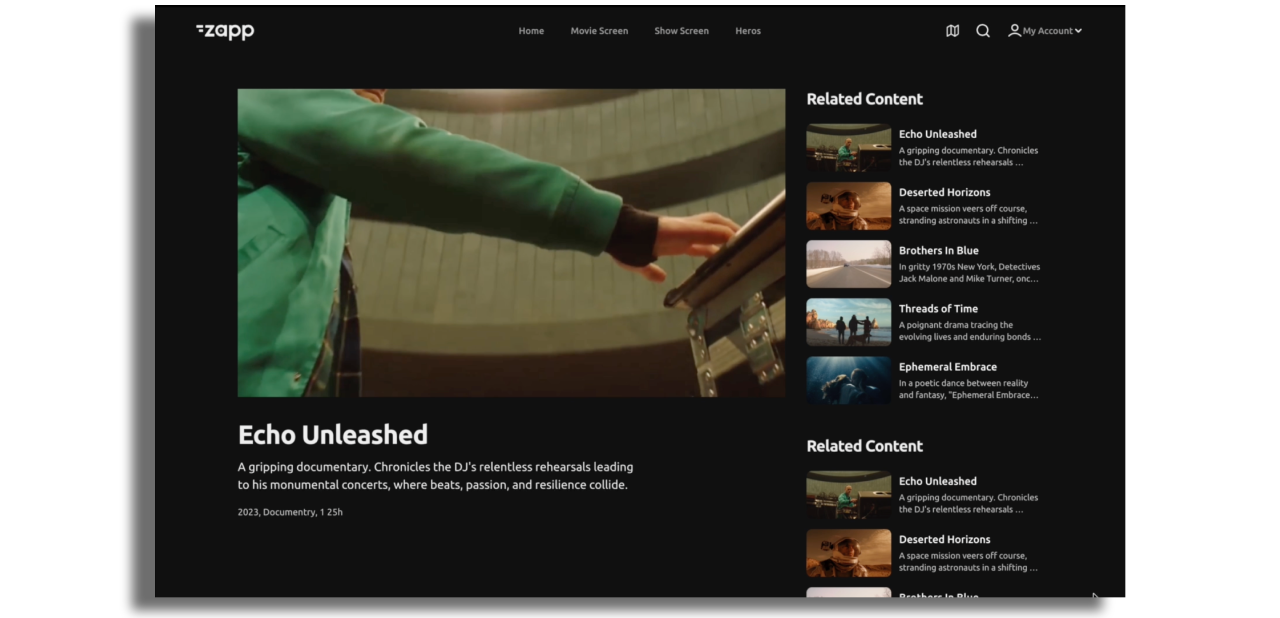
The new inline video player gives customers greater control over how video and supporting content are presented on web.
On larger screens, customers can choose between a traditional stacked layout and a new sidebar experience that makes better use of widescreen space and supports natural browse-while-watching behavior. On mobile web, supporting content remains below the player, keeping the viewing experience clean and focused.
The inline player isn't limited to Applicaster-built experiences. Through the Developer MCP, teams building their web properties with AI tools can bring these capabilities directly into their own sites — the player itself, the layout options, and the business logic behind it. The same applies across the platform: content feeds and entitlements, login and subscription flows, analytics events, ad configuration, and navigation logic are all exposed through the MCP, so an AI-assisted developer can wire proven, production-grade Applicaster capabilities into a custom website in minutes instead of rebuilding them from scratch.
More in This Version:
-
Android API 36 - Starting August 31, 2026, Google Play requires new apps and app updates to target Android API level 36. We’ve updated our SDK to meet this requirement.
-
Google Play Billing Library - We’ve updated the Google Play Billing Library to meet Google’s latest requirements.
-
Bug Fixes - We’ve addressed multiple bugs to improve platform stability and performance.
The Beginning of a More Intelligent Workflow
Version 15 is more than a collection of new features. It begins connecting the layers required for a new way of working: Draft Mode creates a safe environment for iteration, version management, and human review.
MCP and Agent Skills give AI access to Applicaster’s platform knowledge and implementation expertise. New web and TV capabilities expand what customers can deliver to their audiences.
Together, these steps move Applicaster from configuration toward collaboration.
The applications themselves do not need to become “AI applications.” The opportunity is to place intelligence between customer intent and product execution—helping teams move from an idea to a validated, multi-platform experience with dramatically less friction.
Version 15 starts making that future tangible. And we are only getting started.